ETH Research Collection Route (Datasets and Code)
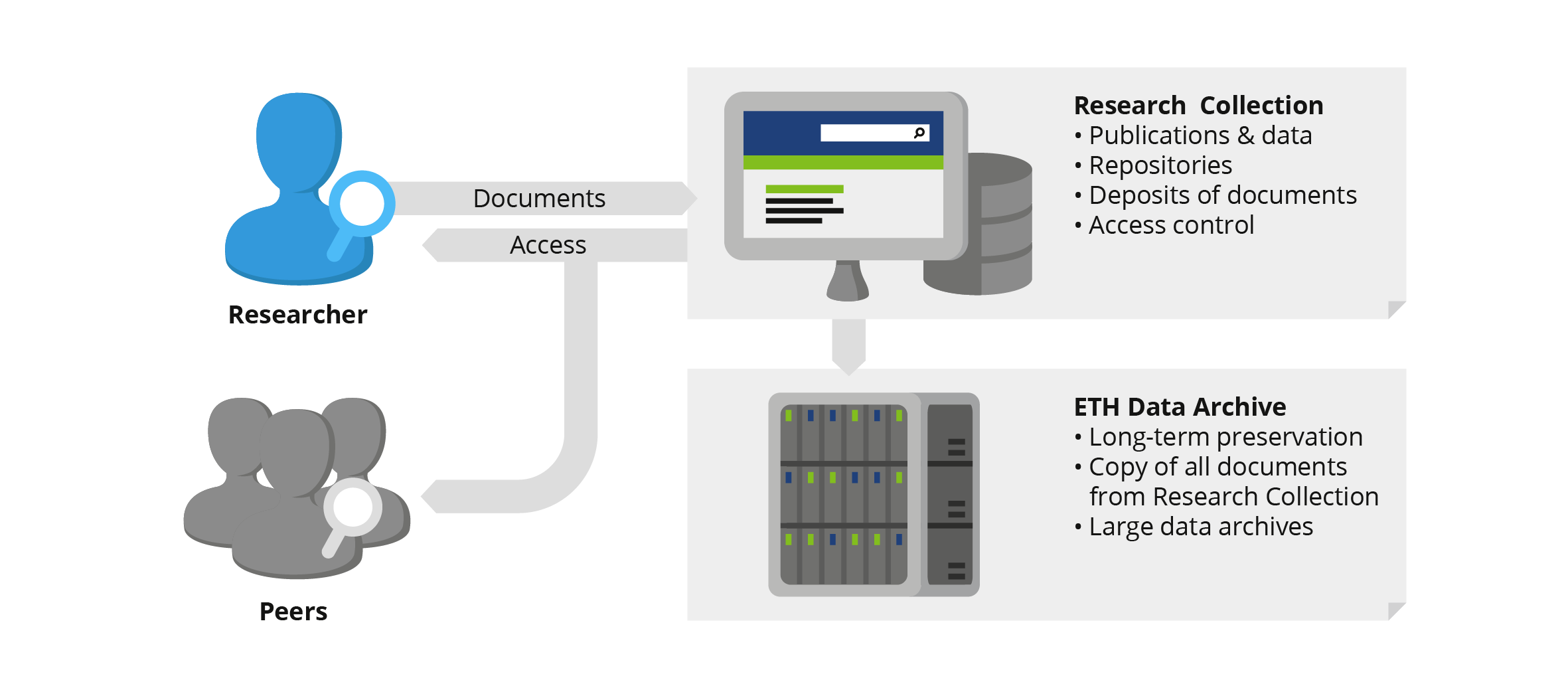
CC-BY Andres Bucher
Contribution by Dr. Julian Dederke and Dr. Fabian Schmid, Research Data Management and Digital Curation Team at ETH Library, ETH Zurich
- Find information about publishing datasets here. If you need to publish datasets larger than 50 GB, read How to publish large datasets.
- Go to the ETH Research Collection and click the “Submit” button. Sign in with your ETH login. Under New, select:
- Research data > Dataset for data
- Research data > Software for code
- Upload your assets, set access to open*, grant ETH Library usage rights, and select a license. We recommend a Creative Commons Attribution 4.0 International (CC BY 4.0) for datasets and BSD-3-Clause for code.
- Fill in as many of the metadata fields as you can. Be prepared for the following mandatory fields: Author / Creator; Title; Publication Year; Organisational Unit (drop-down); and whether this data was published during the authors’ affiliation with ETH Zurich.
- NCCR CLIM+'s SNSF grant number is 51AU-0_229306.
- Scroll down until you see the DOI reserved for your asset. This DOI will not change and can be cited in your document even if your submission is still in the draft phase. For more information, see here.
- When you are finished with your submission, click Deposit. Your asset will show as submitted in your dashboard, and you should receive a confirmation email. There is then an internal review process, and your DOI should be registered within an hour.
Need more detailed, step-by-step guidance? See here.
Need more information about code licenses? See here and this flowchart.
* Need guidance for publishing sensitive data? See here.
Note that code developed for commercial purposes must be reported to and approved by ETH transfer using the Software Disclosure form. For more information, see here.
Contribution by Nadine Seekirchner, Research Collection, and Dr. Fabian Schmid, Research Data Management and Digital Curation Team at ETH Library, ETH Zurich
Zenodo Route (Data and Code Archive)
- Go to zenodo.org and create an account (or log in).
- In the top panel, select “New upload”.
- Upload your files (up to 50 GB and up to 100 files).
- Select your resource type (e.g., “dataset” or “software”).
- Add your title and (co-)authors.
- By default, the Creative Commons Attribution 4.0 International (CC BY 4.0) license is used, which is suitable for datasets. For software, we recommend selecting a BSD-3-Clause license.
- You can add further information about your upload below, such as keywords, funding, related works, or references, but these are optional. NCCR CLIM+'s SNSF grant number is 51AU-0_229306.
- You can check your upload by clicking on “Preview".
- Once you are happy with your upload, click on “Publish” (this cannot be undone).
Contribution by Dr. Florian Römer, WP2 Researcher, Climate Physics, ETH Zurich
Git + Zenodo Route (Code)
- Make sure your Git repository contains a README and an appropriate license. We recommend selecting a BSD-3-Clause license.
- Commit and push the final changes to the repository.
- Create a version tag for the release (for example, v1.0.0) and push the tag to the remote repository.
- Create a corresponding Release on your Git hosting platform (e.g., GitHub or GitLab), using the version tag and adding a short description of the release.
- Link the repository to Zenodo. For GitHub repositories, Zenodo can be connected to GitHub so that releases are automatically archived. Once the repository is enabled in Zenodo, creating a new GitHub release triggers Zenodo to archive that version and create a DOI.
- Add the resulting Zenodo DOI to the repository README.
- When referring to the code from a publication or project website, provide both the Git repository link (for the actively maintained code) and the Zenodo DOI (for the archived, citable version).